Quick Start
Overview
You can go from sign-up to seeing your first complexity scores in under five minutes. GitVelocity connects to your repositories on GitHub, Bitbucket, or GitLab during the signup process, watches for merged pull requests, and scores each one automatically.
Step 1: Sign Up
Navigate to the GitVelocity app and create your account.
There are three ways you may end up in an organization:
- You have an invite. Accept it and you join that organization directly.
- Your invite expired. Invites that lapsed within the last 90 days are still shown. Choose Get a new link and a fresh one is emailed to you; the person who invited you is told it happened.
- Your team is already here. If your verified work email is at a domain your colleagues already use, GitVelocity offers to add you to their organization as a member. You can decline and set up your own instead.
If none of those apply, continue below to connect a provider and create a new organization.
Step 2: Choose Your Provider
During the signup flow, you are presented with two provider options: GitHub or Bitbucket. Select the platform where your repositories are hosted.
Step 3: Install and Connect
For GitHub, you will be prompted to install the GitVelocity GitHub App on your organization. For Bitbucket, you will connect via OAuth to your Bitbucket workspace. If your organization requires admin approval for new integrations, the request will be sent to an organization owner or workspace admin.
Step 4: Confirm Your Organization
After connecting your provider, review and confirm your organization details. Choose which repositories GitVelocity should track. You can select individual repositories or grant access to all repositories in the organization.
For detailed information on permissions and setup options, see Connecting Your Repositories.
Step 5: Automatic Scoring Begins
Once installed, GitVelocity begins scoring new merged pull requests automatically. There is nothing else to configure. Each PR is analyzed by the AI model across six complexity dimensions, and the result is a score from 0 to 100. You can switch models at any time from Review Settings.
Analysis takes approximately 30 seconds per pull request.
Step 6: View Your Dashboard
Open the GitVelocity dashboard to see scores as they come in. Scores typically appear within a few minutes of a PR merging. The dashboard shows individual PR scores, engineer summaries, and team-level trends.
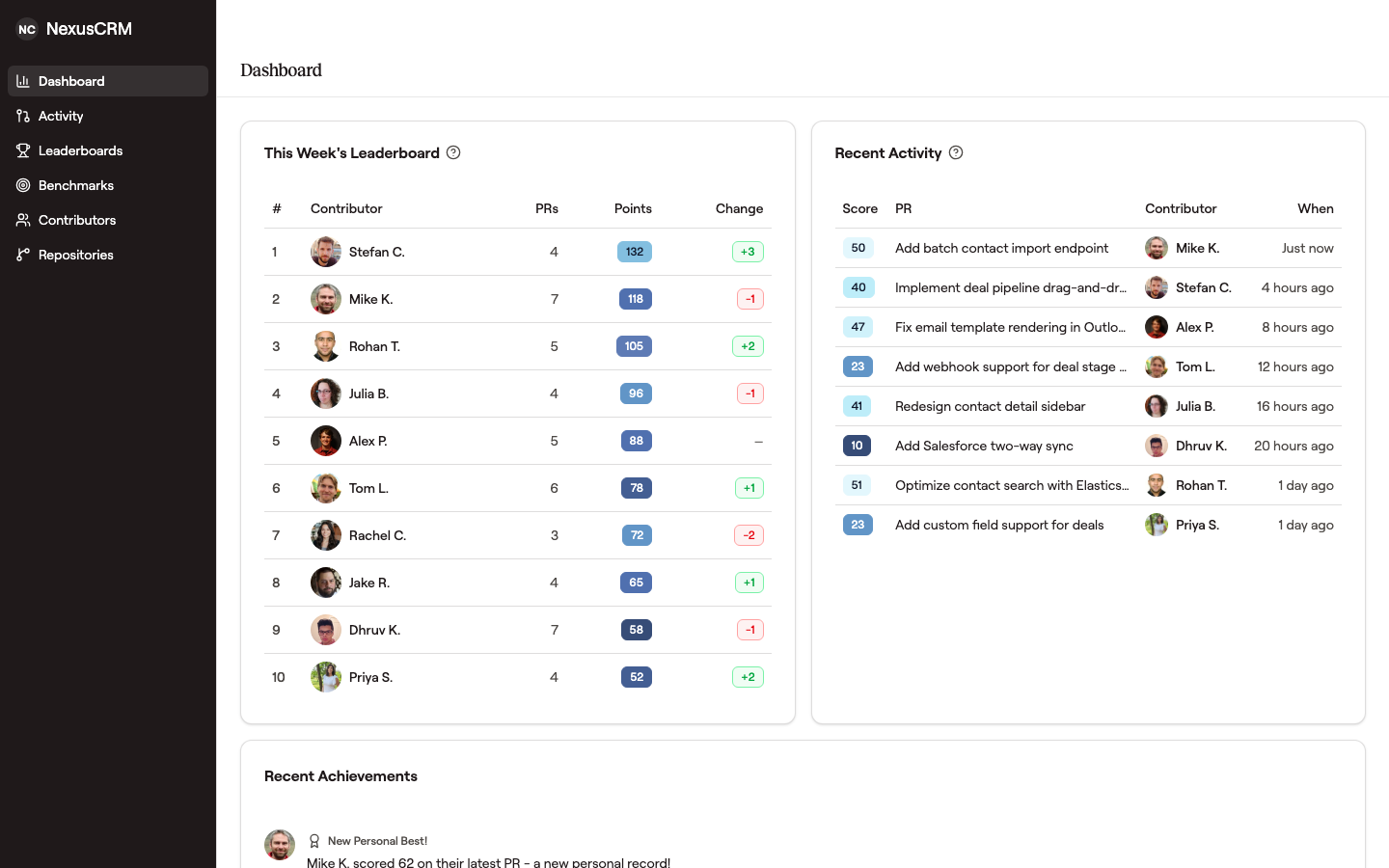 This is what you'll see once scoring kicks in: a single page that answers "who shipped what this week" and "how much complexity."
Optional: Historical Backfill
By default, GitVelocity only scores pull requests that merge after installation. If you want scores for previously merged PRs, you can trigger a historical backfill from the repository settings page. The backfill processes past PRs at the same rate -- roughly 30 seconds each -- so large repositories may take some time to complete.
Next Steps
- Connecting Your Repositories -- Setup, permissions, and troubleshooting for GitHub and Bitbucket